
ScreensHub Portal User Guide
Learn how to create your ScreensHub account, sign in to the portal, and manage your digital signage from one centralized dashboard.
ON THIS PAGE
SHARE GUIDE
Overview
The ScreensHub Portal is your central workspace for managing your digital signage network. Once you create an account and sign in, you can access your dashboard, manage media, create playlists, schedule content, view connected screens, and monitor your signage network remotely.
Your portal gives you centralized access to the tools you need to keep your screens updated and your content running across your locations.
GETTING STARTED
You'll need a ScreensHub account to access the portal. New users can create an account directly from the ScreensHub sign-up page, while existing users can sign in using their registered email address.
Creating a ScreensHub Account
Create your ScreensHub account in a few simple steps. Your account gives you access to the ScreensHub Portal and the tools used to manage your digital signage.
Open the Sign-Up Page
Go to the ScreensHub Portal and select the option to register for a new account.
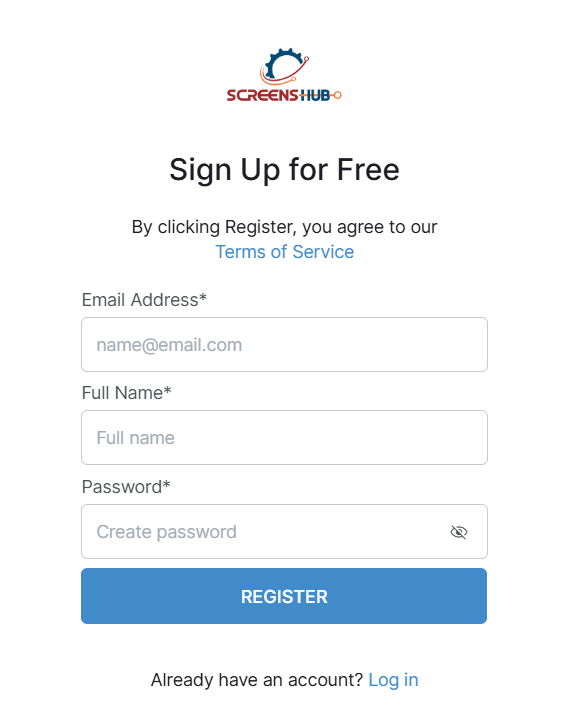
The registration page will display the “Sign Up for Free” form.
Enter Your Details
Complete the registration form with:
Email Address
Enter the email address you want associated with your ScreensHub account.
Full Name
Enter your name.
Password
Create a password for your account.
Register Your Account
After entering your information, select REGISTER to submit the form.
By registering, you agree to the ScreensHub Terms of Service.
Once your account has been successfully created, you can proceed to the login screen and access the portal.
Logging Into Your ScreensHub Account
- Already have a ScreensHub account? Use the portal login page to access your dashboard and manage your connected screens.
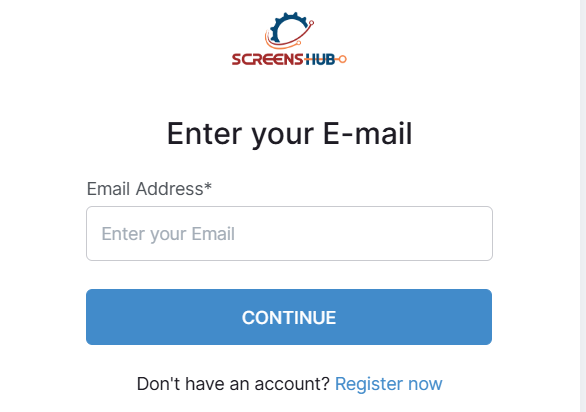
- Open the ScreensHub login page and enter the email address associated with your account.
- Select CONTINUE to proceed with the login process.
Resetting your password
Self-Service Reset
Click "Forgot Password" on the login screen to receive a secure recovery link via email. Valid for 1 hour.
Admin Intervention
If you have lost access to your primary email, contact your organization's IT admin to reset credentials.